Why Kubernetes for a Home Lab?
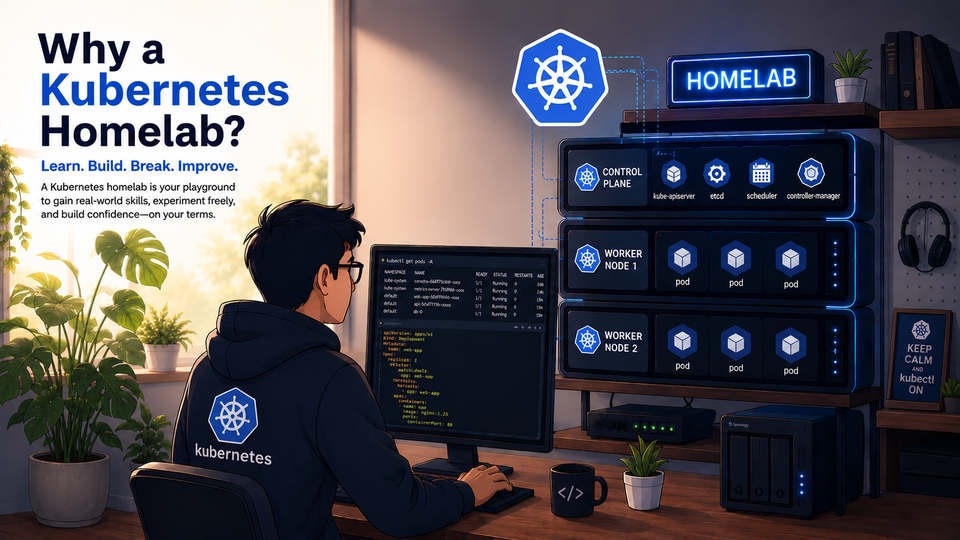
Kubernetes is useful in a home lab when you have many containerized services and want repeatable deployments, ingress, storage, monitoring, and production-style learning.
In our previous articles, we walked through the installation and configuration of a Kubernetes cluster on a bare-metal setup.
 Harish Thangadurai
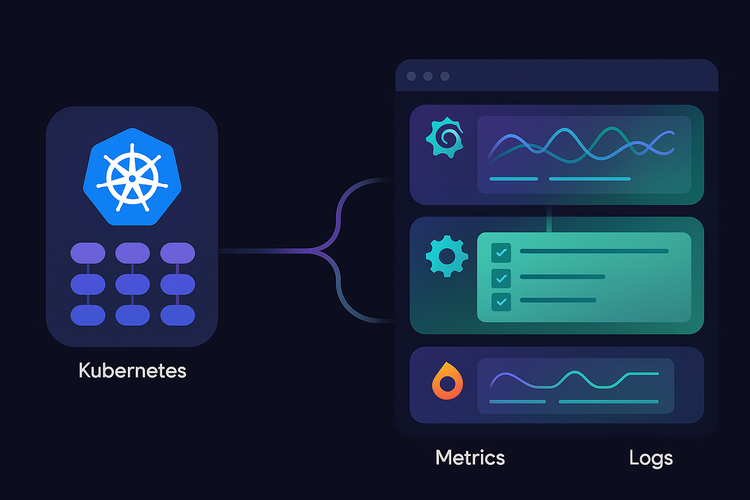
We then added K9s for easier cluster access, MetalLB and NGINX Ingress Controller for exposing services, Longhorn for persistent storage, and Prometheus, Grafana, Loki, and Alloy for observability.
Now that all the major pieces are in place, this is a good time to step back and look at the bigger picture of a Kubernetes Home Lab. One important question that arises here is a valid one.
Why Kubernetes, and not Proxmox/Docker for Home Lab?
The answer is that Kubernetes is not a replacement for Proxmox. Both solve different problems. Proxmox is excellent for running and managing virtual machines and LXC containers. Kubernetes is excellent for running and managing containerized applications.
For a long time, running services directly on Proxmox VMs and LXCs worked really well for me. It was simple, easy to understand, and good enough for hosting the usual Home Lab services one by one.
However, the number of services slowly started growing. I had separate services for monitoring, media, networking, dashboards, storage, and internal tools. Managing them individually started becoming repetitive. Every new service needed its own setup, ports, reverse proxy configuration, storage path, update plan, and troubleshooting process.
That is when I started looking at Kubernetes more deeply. I did not move to Kubernetes because Proxmox was not good enough. I moved because I wanted a cleaner way to manage containerized applications, learn production-style infrastructure concepts, and make my Home Lab easier to scale over time.
For a Home Lab, Kubernetes helps us:
- Run applications in a clean and repeatable way.
- Expose services using Ingress/Gateway API instead of random ports.
- Use persistent storage for databases and stateful apps.
- Monitor the cluster health from a single dashboard.
- Practice real-world DevOps and platform engineering concepts.
- Break things safely and learn how to fix them.
And, let's be honest - it is also fun to run our own small cloud at home.
Proxmox vs Kubernetes
Before going further, it is important to understand that Proxmox and Kubernetes are not competing tools in the same category.
Proxmox is a virtualization platform. It helps us create and manage VMs, LXC containers, storage, networking, backups, snapshots, and clustering at the infrastructure level.
Kubernetes is a container orchestration platform. It helps us deploy, manage, scale, expose, and monitor containerized applications.
In simple terms:
- Proxmox manages servers, VMs, and LXCs.
- Kubernetes manages containers, pods, services, and deployments.
For example, if I want to run a Windows VM, a TrueNAS VM, or a separate Ubuntu server, Proxmox is the right tool. If I want to run applications like Grafana, uptime monitoring, APIs, dashboards, media services, or internal tools as containers, Kubernetes gives a more structured way to manage them.
Why You Shouldn't Jump Directly to Kubernetes
As useful as Kubernetes is, I do not think it should be the first thing someone starts with in a Home Lab.
Kubernetes becomes much easier to understand when we already know what problem it is solving. If we skip the basics and directly jump into Kubernetes, every issue will feel confusing because there are too many layers involved.
Before moving to Kubernetes, it is better to be comfortable with:
- Linux basics and SSH.
- Running services in a VM or LXC.
- Docker containers and Docker Compose.
- Basic networking, DNS, ports, and reverse proxy concepts.
- Storage paths, mounts, and backups.
- Reading logs and troubleshooting failed services.
Without these basics, Kubernetes can feel like a black box. A simple application issue can suddenly look like a Kubernetes problem, even when the real issue is DNS, storage permissions, container image configuration, or networking.
Kubernetes is powerful, but it rewards patience. If we build the foundation slowly, Kubernetes becomes a great learning tool instead of becoming frustrating.
Advantages of Kubernetes in a Home Lab
Declarative Configuration:
Instead of clicking through UIs or remembering manual commands, we describe the desired state using YAML manifests or Helm values files.
If an application needs two replicas, an ingress, a persistent volume, and environment variables, all of that can be written down and version-controlled.
Self-Healing:
If a pod crashes, Kubernetes can restart it automatically. If a worker node goes down, Kubernetes can reschedule workloads to another node, provided the application and storage setup support it.
This does not mean Kubernetes magically fixes everything, but it gives us a better recovery model than manually restarting containers.
Scalability:
Even in a Home Lab, scaling is useful. We may not need 50 replicas, but being able to run multiple replicas of a service or move workloads between nodes is a great learning experience.
Real-World Learning:
Kubernetes is widely used in production environments. Running it at home helps us understand deployments, services, ingress, storage classes, observability, Helm, and troubleshooting practically.
Disadvantages of Kubernetes
More Complexity:
Compared to Docker or Proxmox LXC containers, Kubernetes has more moving parts. We need to understand pods, deployments, services, ingress, storage classes, namespaces, secrets, configmaps, and more.
This can feel overwhelming in the beginning.
More Maintenance:
A Kubernetes cluster needs updates, certificate management, monitoring, storage checks, backup planning, and occasional troubleshooting.
If something breaks, the issue may not always be obvious. It could be DNS, CNI, storage, ingress, node pressure, image pull errors, or a misconfigured manifest.
Higher Resource Usage:
Kubernetes itself consumes resources. The control plane, CNI, ingress controller, monitoring stack, storage system, and observability tools all need CPU, RAM, and disk.
For a very small Home Lab, this overhead may not be worth it.
Not Every App Needs Kubernetes:
Some applications are simpler to run directly in Proxmox LXC or Docker. If an app is just a single service with very little complexity, Kubernetes may be overkill.
Skill / Knowledge Level Needed
To run a Kubernetes Home Lab comfortably, we should have at least a basic understanding of:
- Linux commands and SSH.
- IP addresses, DNS, and ports.
- Virtual machines and resource allocation.
- Docker and containers.
- YAML files.
- Basic networking concepts.
- Storage concepts like volumes and mounts.
- Troubleshooting logs and service status.
For advanced setups, it also helps to understand:
- Helm charts.
- Ingress controllers.
- PersistentVolumeClaims.
- Storage classes.
- TLS certificates.
- GitOps.
- Monitoring and alerting.
- Backup and restore strategies.
We do not need to know everything before starting. But we should be ready to learn and troubleshoot along the way.
Maintenance Effort
Kubernetes needs regular maintenance. It is not a setup-and-forget system.
Some regular maintenance tasks include:
- Checking node health.
- Updating Kubernetes components.
- Updating Helm charts and applications.
- Monitoring disk usage and Longhorn volumes.
- Checking failed pods and crash loops.
- Reviewing logs when services fail.
- Backing up important data.
- Testing restores once in a while.
- Cleaning unused images, old volumes, and unused manifests.
For a Home Lab, I would say Kubernetes needs a medium level of maintenance. It is manageable, but we need to pay attention to it.
Proxmox, on the other hand, usually needs less frequent attention. Once VMs are created and backups are configured, it is comparatively easier to maintain.
When to Use Proxmox
Use Proxmox when:
- You want to run VMs and LXCs.
- You need a simple UI to manage servers.
- You want easy snapshots and backups.
- You are running mixed workloads.
- You are still learning Linux and virtualization.
- You want a stable base for the Home Lab.
When to Use Kubernetes
Use Kubernetes when:
- You want to run many containerized applications.
- You want clean service discovery and ingress.
- You want to learn production-style container orchestration.
- You want repeatable deployments using YAML or Helm.
- You want observability with Prometheus, Grafana, Loki, and Alloy.
- You want to experiment with GitOps later.
Security Considerations
A Kubernetes Home Lab should not be exposed to the internet without proper planning.
If we want to access services remotely, it is better to use something like Tailscale, WireGuard, or Cloudflare Tunnel instead of directly opening ports to the internet.
Some services, like Longhorn UI or internal dashboards, should ideally stay private. If they must be exposed, authentication should be added before making them accessible.
A few simple rules help a lot:
- Do not expose the Kubernetes API publicly.
- Use strong passwords and authentication for dashboards.
- Keep internal tools behind VPN whenever possible.
- Use separate namespaces for better organization.
- Update the cluster and applications regularly.
- Back up important data before major upgrades.
Who Should Build This?
A Kubernetes Home Lab is a good fit if you enjoy learning infrastructure, DevOps, Linux, and self-hosting. It is also useful if you want hands-on experience with tools that are used in real production environments.
But if your only goal is to run a few simple services with the least amount of maintenance, then Docker inside a Proxmox VM or LXC might be a better starting point.
There is no wrong choice here. The right choice depends on what we want to learn and how much time we are ready to spend maintaining it.
In this article, we:
- Looked at why Kubernetes is useful in a Home Lab.
- Discussed why Kubernetes should not be the first Home Lab step.
- Understood why Kubernetes does not replace Proxmox.
- Compared the advantages and disadvantages of Kubernetes.
- Discussed maintenance effort and skill requirements.
In the next article, we will be looking into another service that we will be deploying in our Home Lab. Stay tuned for more detailed instructions on expanding our Home Labbing capabilities.
Happy Homelabbing!!!



Member discussion